Use the base URL for your API requests depending on your region:
https://api.rudderstack.com/v2
https://api.eu.rudderstack.com/v2
Run project
You can trigger the run of a Profiles project using the below endpoint:
POST
/sources/<profilesID>/start
When you trigger a run through this API endpoint, RudderStack always fetches the latest code from your connected Git repository. You don’t need to use the Fetch latest button in the dashboard before triggering an API run.
The Fetch latest button on the Settings page of your Profiles project only applies to the RudderStack dashboard. RudderStack caches the project details (like the number of features) to power the UI. If you have recently pushed changes to your Git repository and want to see them reflected in the dashboard immediately, use this setting to refresh the cache.
Path parameters
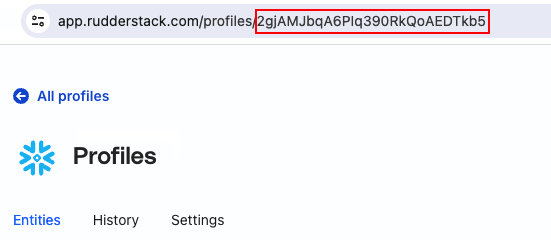
profilesID
Required
String
ID of the Profiles project for which you want to trigger a run.
Request body
parameters
Optional
Array
Specify the parameters and their associated values to be passed for running the project. Multiple parameters can be passed. Each parameter and its associated value is a single string. Allowed parameters:
This site uses cookies to improve your experience while you navigate through the website. Out of
these
cookies, the cookies that are categorized as necessary are stored on your browser as they are as
essential
for the working of basic functionalities of the website. We also use third-party cookies that
help
us
analyze and understand how you use this website. These cookies will be stored in your browser
only
with
your
consent. You also have the option to opt-out of these cookies. But opting out of some of these
cookies
may
have an effect on your browsing experience.
Necessary
Always Enabled
Necessary cookies are absolutely essential for the website to function properly. This
category only includes cookies that ensures basic functionalities and security
features of the website. These cookies do not store any personal information.
This site uses cookies to improve your experience. If you want to
learn more about cookies and why we use them, visit our cookie
policy. We'll assume you're ok with this, but you can opt-out if you wish Cookie Settings.