Warehouse Destinations
Send event data from RudderStack to your specified data warehouse platforms.
2 minute read
RudderStack supports integration with all leading data warehouses. Now you can set up these warehouses as destinations in RudderStack and send all your event data from your preferred sources.
Warehouse destinations

Azure Synapse

BigQuery

ClickHouse

Microsoft Fabric Private Beta

Microsoft SQL Server

Postgres

Redshift

Snowflake
Snowflake Streaming
Data lake destinations


Warehouse schema
When sending your events to a data warehouse via RudderStack, you don’t need to define a schema for your event data - RudderStack automatically does that for you by following a predefined warehouse schema.
Required permissions
- Admins have full access to create and manage destinations.
- Members can have the following permissions depending on their workspace policy:
| Permission | Description |
|---|---|
| Edit | Make changes to the configuration of destinations |
| Connect | Connect a destination to a source or transformation |
| Create & Delete | Create or delete destinations |
| Retry Syncs | Retry syncs for a destination in case of failures |
To make a connection, that is, connect a source to a destination, the member must have both Edit and Connect permissions on both the resources.
Permissions for legacy RBAC system
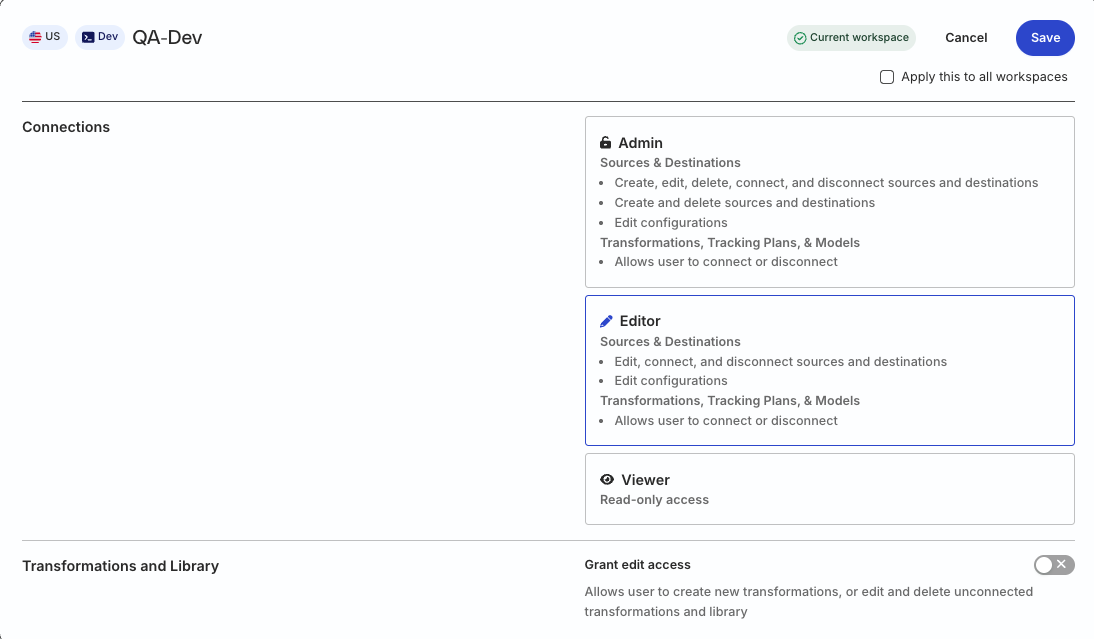
In the legacy Permissions Management (RBAC) system:
- Org Admins and members with the Connections Admin role in their workspace policy can create and delete destinations, manage their configuration, and connect them to sources
- Members with the Connections Editor role in their workspace policy can only edit the destination configuration and connect destinations to sources
FAQ
Refer to the comprehensive FAQ guide for the solutions to some of the commonly-asked questions around the RudderStack warehouse integrations.
