Use the Live Events feature to view your source and destination events in near real-time.
5 minute read
RudderStack’s Live Events feature gives you a near real-time view of the events flowing from your sources to the connected destinations. You can use this feature for better observability into your events and debug errors in case of any event failures at the destination level.
You can use this utility to view the following three types of events:
Live events type
Description
Source live events
View source events collected by RudderStack
Destination live events
View events sent to the destination
Transformation live events
View transformed events
Because Live Events can include sensitive event payloads, the data is stored and served from the same region as your data plane — it does not cross regional boundaries.
Required permissions
Admins have full access to live events for sources, destinations, and transformations.
Members must have the following permissions in their workspace policy to view the live events:
PII permission
Description
Source Live Events
View live events for a source
Destination Live Events
View live events for a destination
Transformation Live Events
View live events flowing through a transformation
To view live events ingested by Reverse ETL sources, they must have the following permissions:
PII permission
Description
Table Live Events
View live events from a Reverse ETL source created via a warehouse table
Audience Live Events
View live events from a Reverse ETL source created via an audience
SQL Model Live Events
View live events from a Reverse ETL source created via a SQL model
Source live events
This feature gives you visibility into the source events collected by RudderStack — it is helpful when you want to verify if your source is correctly configured.
View source live events
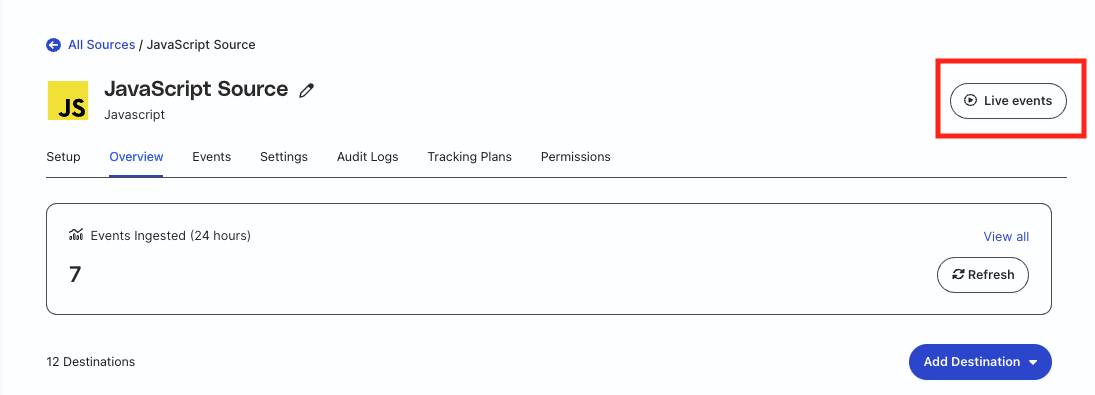
Go to the source for which you want to view the live events.
Click the Live events button.
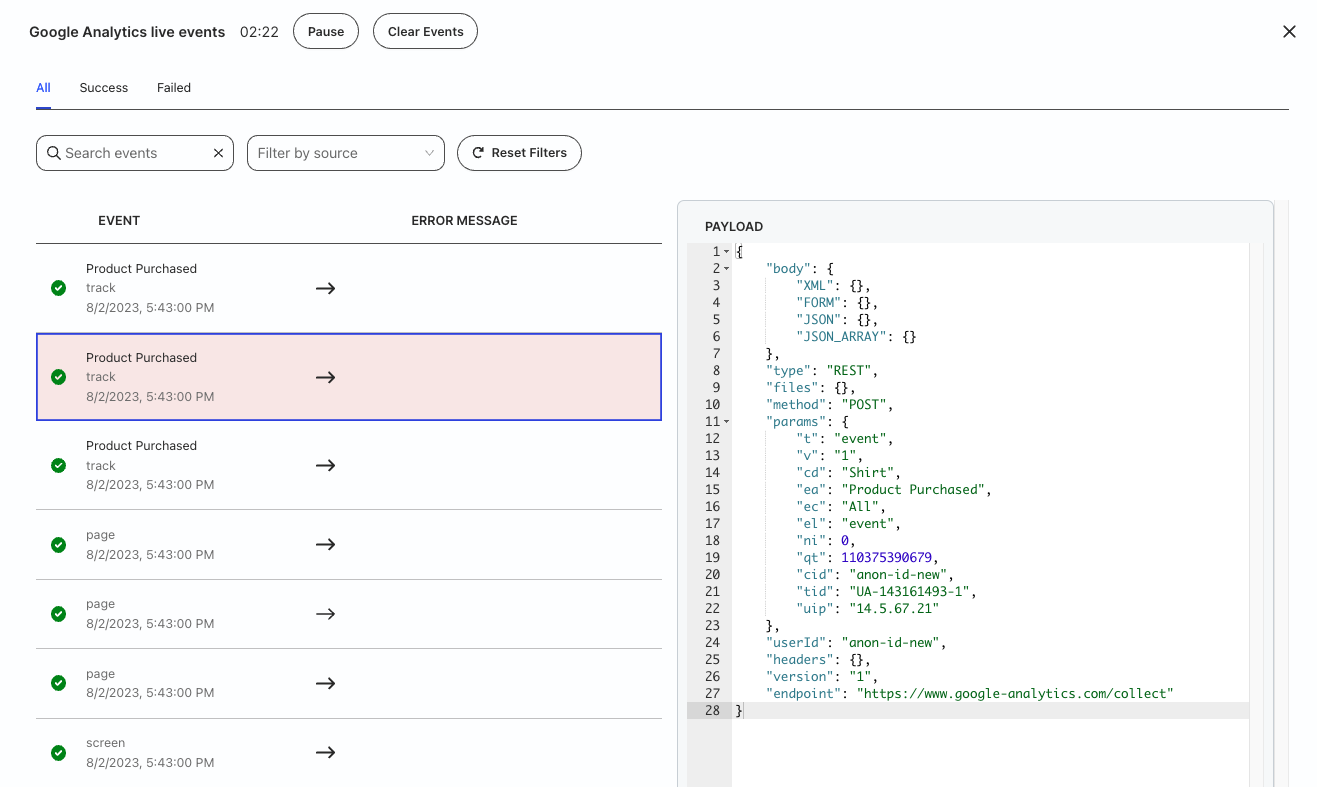
Once you send the event data from the source to RudderStack, you will see the following details in this view:
Name of the event
Type of the event collected from the source
Date and Time of the collected event
The Payload panel containing the event payload
The Tracking Plan Validation panel on the bottom right, just below the Payload panel.
Destination live events
The destination live events view gives you visibility into your destination’s responses.
When routing events to a destination, there can be instances when the events do not show up in the destination — in such cases, the error message included in this view is helpful for debugging.
Go to the destination for which you want to view the live events.
Click the Live events button.
Once you send the events from your source to the destination, you will see the following details in this view:
Name of the event
Type of the event
Date and Time of the event
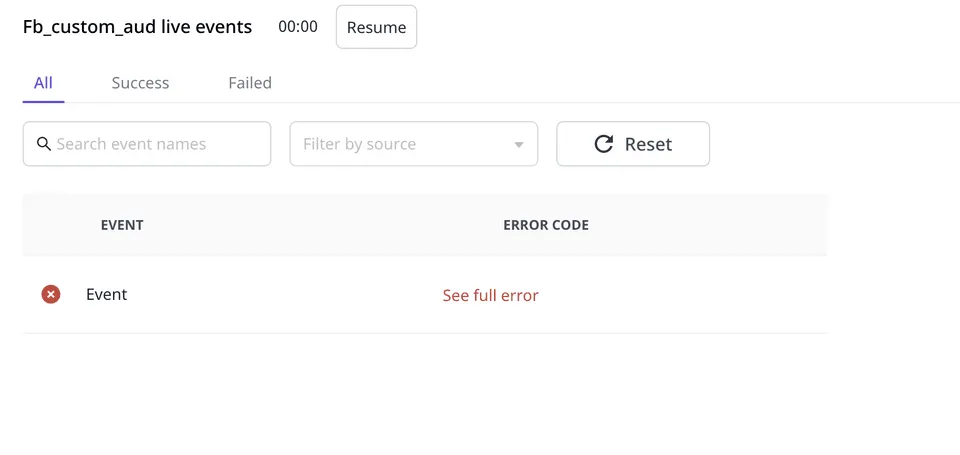
Error message of the event in case of event failure — it gives specific details related to an error including the error response and the date and time of the attempt made to send the event.
The Payload panel containing the event payload sent to the destination.
You can use this view to filter events by source if your destination is connected to multiple sources.
Use case
Suppose that you send some events to Facebook Custom Audience but they are not delivered. On checking the Live Events tab for the Facebook Custom Audience destination, you see the following error:
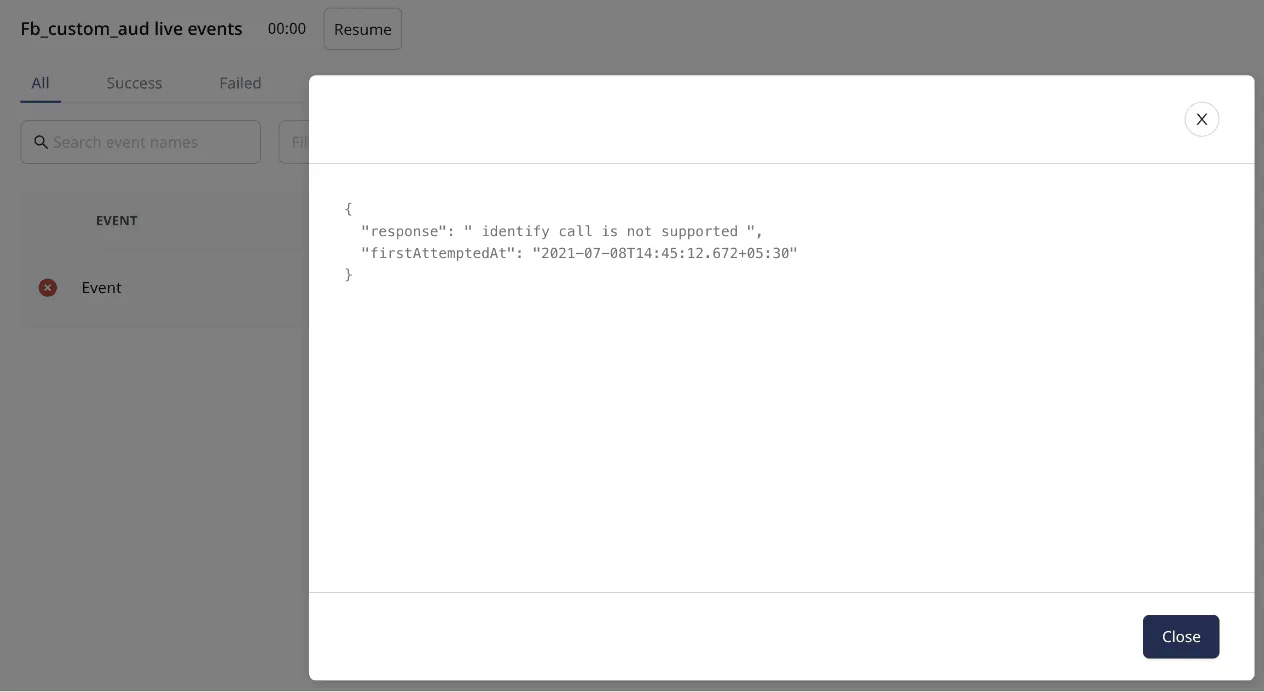
Clicking on See full error option displays the following error response:
Facebok Custom Audience supports only record type of events. As seen above, an identify event is sent instead and hence you see the error.
RudderStack tries sending this event several times before marking it as aborted.
Transformations live events
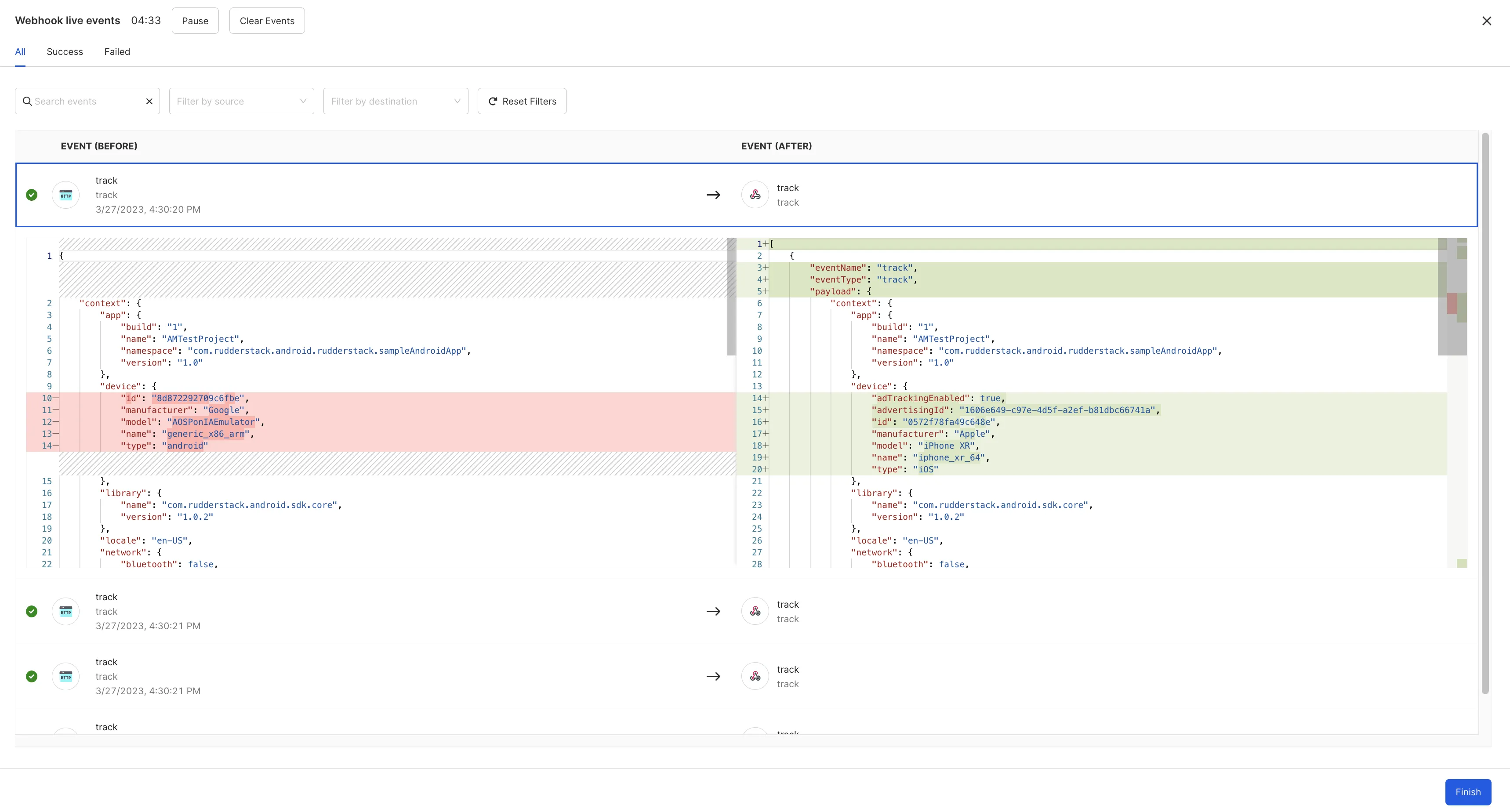
You can also view the live events in case a transformation is connected to a destination. RudderStack lets you view the events before and after a transformation is applied:
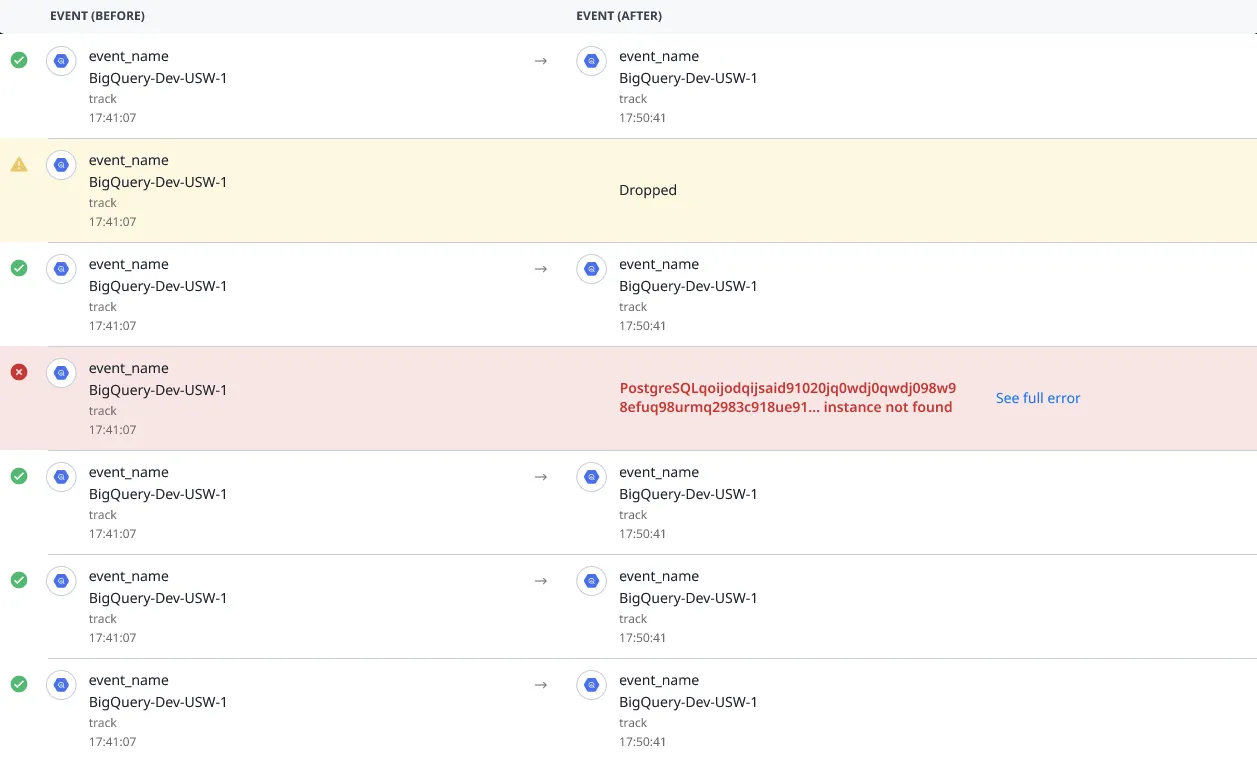
RudderStack also notifies you about any dropped events or errors during the transformation along with the details:
If you keep a transformation event row expanded while inspecting it, newer transformed events are buffered and surfaced through the in-product refresh prompt instead of being appended immediately.
Important considerations
A live session stays active for about 15 minutes after you open it.
New events appear on a short polling cadence (typically every few seconds), so updates are not instant.
Only a fixed set of events is visible at a time — the viewer does not auto-scroll. Click the Clear Events button to load the next set of incoming events.
FAQ
Why are the events sent to the destination failing?
Routing events to a destination can fail for various reasons. Often, it is due to the incorrect configuration of a destination in the RudderStack dashboard. Some other possible reasons are:
Incorrect/bad event payload structure
Rate-limiting by the destination
Network error
Destination downtime
The Destination Live Events feature gives you better visibility into how your events are sent to the destination. If there are any delivery failures, the utility also gives you insights into the reasons for the failure.
Are live events supported for device mode destinations?
RudderStack does not support the live events functionality for device mode destinations, that is, destinations configured to receive events in device mode.
You can view live events for cloud mode destinations only.
Are Live Events served from the same region as the data plane?
Yes. Because Live Events can include sensitive event payloads, the data is stored and served from the same region as your data plane — it does not cross regional boundaries.
Questions? We're here to help.
Join the RudderStack Slack community or email us for support
This site uses cookies to improve your experience while you navigate through the website. Out of
these
cookies, the cookies that are categorized as necessary are stored on your browser as they are as
essential
for the working of basic functionalities of the website. We also use third-party cookies that
help
us
analyze and understand how you use this website. These cookies will be stored in your browser
only
with
your
consent. You also have the option to opt-out of these cookies. But opting out of some of these
cookies
may
have an effect on your browsing experience.
Necessary
Always Enabled
Necessary cookies are absolutely essential for the website to function properly. This
category only includes cookies that ensures basic functionalities and security
features of the website. These cookies do not store any personal information.
This site uses cookies to improve your experience. If you want to
learn more about cookies and why we use them, visit our cookie
policy. We'll assume you're ok with this, but you can opt-out if you wish Cookie Settings.